Authentication
In order to gain access to the Anymate API, the Mate must first authenticate itself.
Details
This is done using the OAUTH2 protocol, with the resource owner password grants flow. In plain terms, you will send a Client Id, your API secret, a username and a password to the /connect/token endpoint, and you will get an access_token back which you then can use to gain access.
You can find the Client Id and Secret by selecting the Settings and then API Key in the left-side menu.
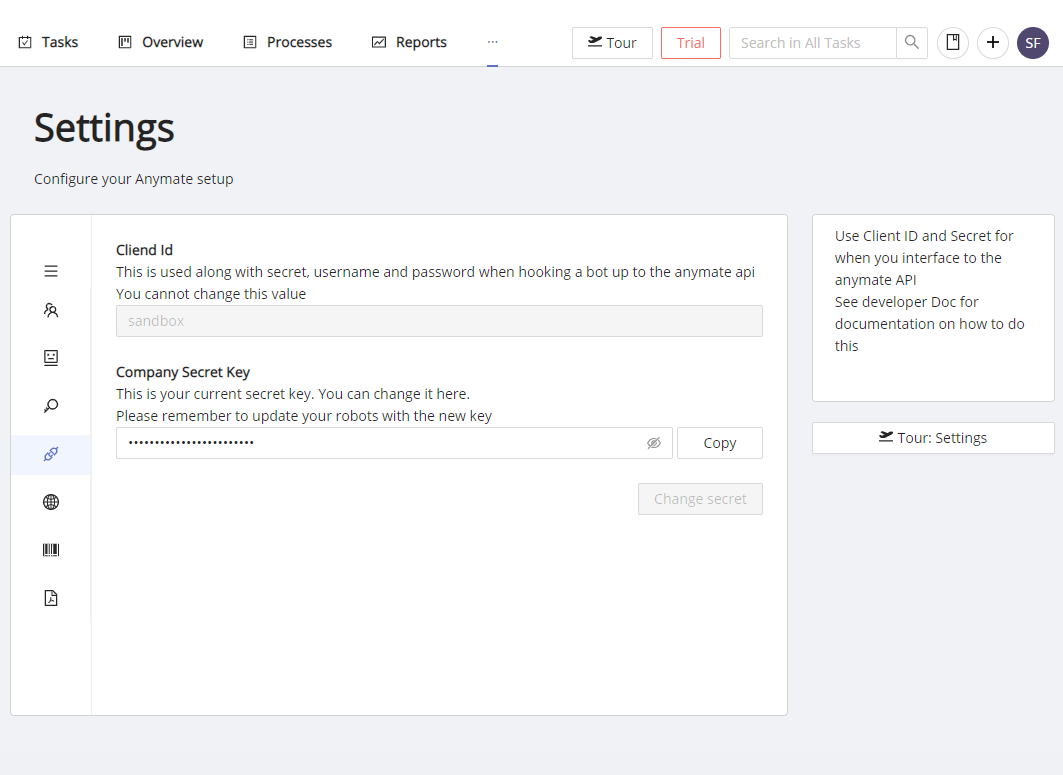
In the example above, the Client Id is sandbox and the Secret Key is hidden.
Client Id is also in your Anymate url
As shown in the screenshot, the Client Id is also in your Anymate Url. The url always has this format: ClientId.anymate.app
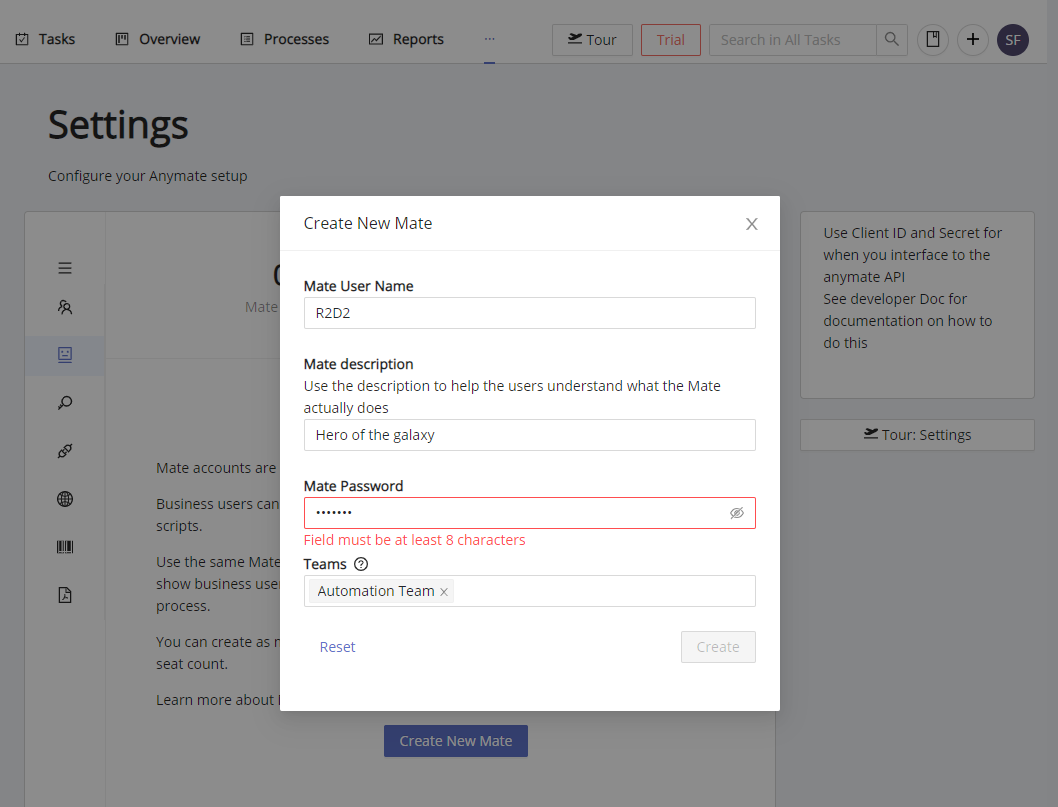
When signing in, you will have to provide the username and the password for the Mate you wish to use. You create new Mates and can update the password in Settings -> Mates
Authentication can be done directly via our open API, or by using one of our SDK's.
Example
The endpoint is found at https://{clientId}.auth.anymate.app/connect/token. The http-request must be submitted as a POST with Form URL encoded data.
curl --request POST \
        --url https://{clientId}.auth.anymate.app/connect/token \
        --header 'Content-Type: application/x-www-form-urlencoded' \
        --data username={your mates username} \
        --data password={your mates password} \
        --data grant_type=password \
        --data client_id={client id} \
        --data client_secret={api secret}
Once submitted, a response object will be returned with an access token that must be supplied in the header on future requests.
    {
    "access_token": "eyJhbGciOiJSUzI1NiIsImtpZCI6IkMxNjlDOTgzODJBNTIzNUFFIiwidHlwIjoiYXQrand0In0.eyJuYmYiOjE2MDQ0MDAxNzksImV4......",
    "expires_in": 3600,
    "token_type": "Bearer",
    "scope": "apimate"
    }
Remember to refresh the access token as needed
The access token expires after 1 hour, so make sure to refresh it as needed if you have a long running job.
On future requests to the other endpoints, the access token must be supplied in the header as: 'Authorization : Bearer {access_token}'. It applies to both GET and POST requests.
    curl --request POST \
    --url https://{someurl} \
    --header 'Authorization: Bearer eyJhbGciOiJSUzI1NiIsImtpZCI6IkMxNjlDOT......' \
    --header 'Content-Type: application/json' \
    --data '
        {
            "whatIsThis": "a json object"
        }
    '
Using the Anymate .NET SDK, you only have to instantiate the AnymateService class with client id, api secret, username and password in order to sign in. The AnymateService handles authentication, ensures access token is attached to future http-requests and renews the access token as needed.
// Include the Anymate library
using Anymate;

// ...
// Namespace, class and function setup omitted
// ...

// Set up variables needed for AnymateService
var client_id = "My client id";
var client_secret = "My API secret";
var username = "Mate Username";
var password = "Mate Password";

// Create the AnymateService object
var anymateService = new AnymateService(client_id, client_secret, username, password);

// We are now ready to work
Using the Anymate Python SDK, you only have to instantiate the anymate.client class with client id, api secret, username and password in order to sign in. The client handles authentication, ensures access token is attached to future http-requests and renews the access token as needed.
# Import the anymate library
import anymate

# Setup variables needed for initialized the client
client_id = "My client id"
client_secret = "My API secret"
username = "Mate Username"
password = "Mate Password"

# Initialize the client
client = anymate.client(client_id, client_secret, username, password)

# We are now ready to work
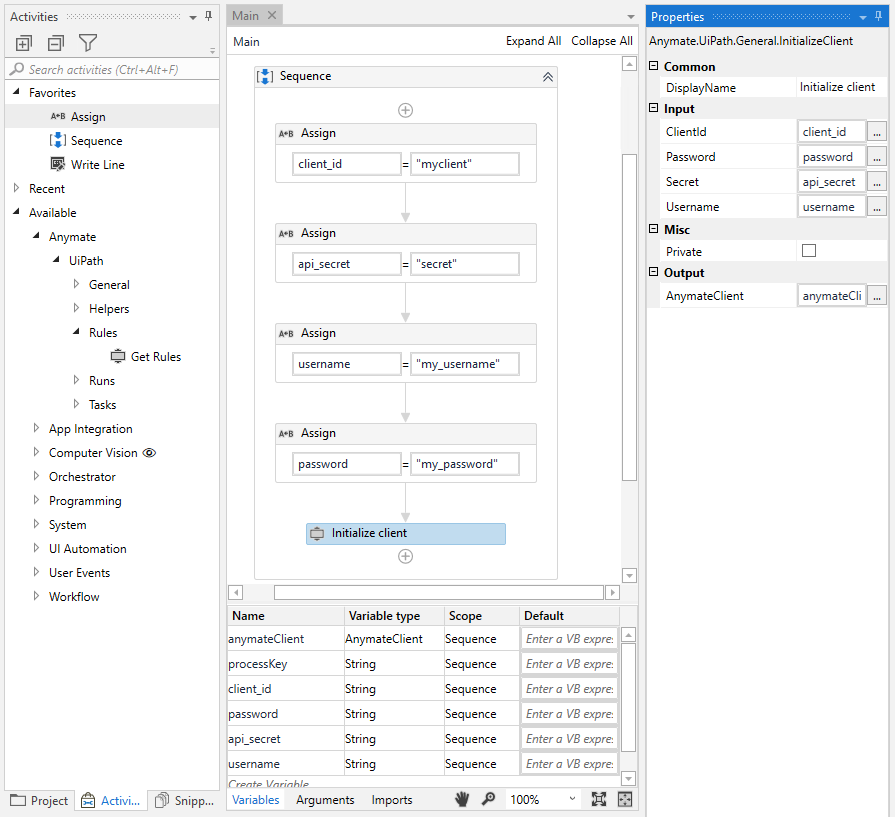
In the Anymate UiPath SDK, invoking the Initialize Client activity with client id, api secret, username and password as input will return an AnymateClient object. The AnymateClient object should be saved and passed to other activities in the Anymate UiPath SDK. The client handles authentication, ensures access token is attached to future http-requests and renews the access token as needed.